
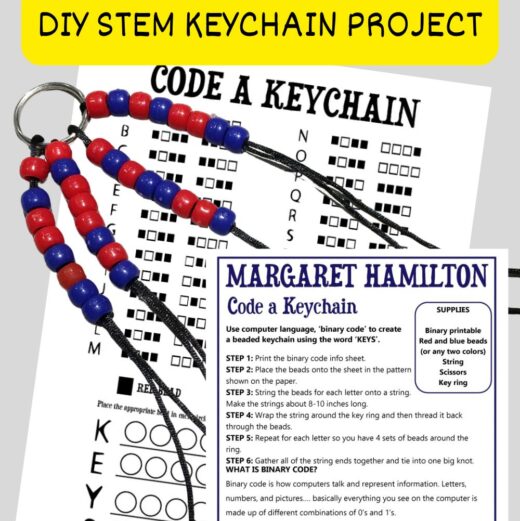
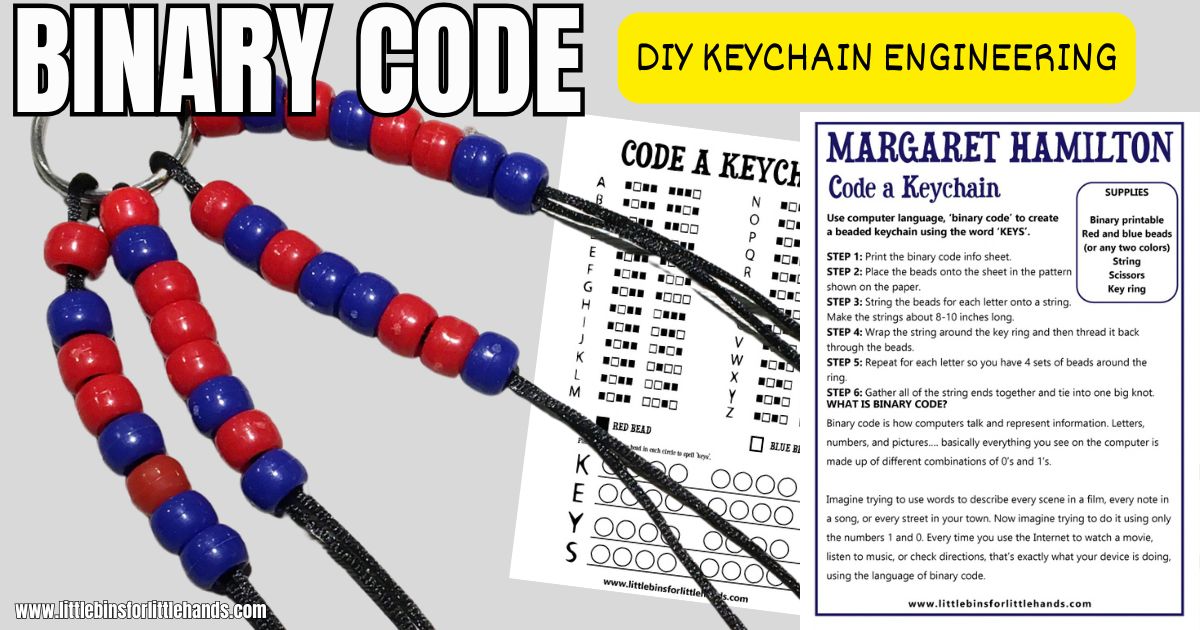
Can you turn computer code into a colorful keychain? With this easy binary code keychain activity, kids use two colors of pony beads to create patterns of 1s and 0s, just like the binary code computers use to represent information!
Inspired by pioneering computer scientist Margaret Hamilton, this hands-on STEM project combines screen-free coding, patterns, and a simple beading craft. Grab the free printable binary code chart and learn how to spell the word KEYS with beads! Makes a great backpack charm.
Field: Computer Science / STEM
Grades: 3–6 (younger kids with help)
Concepts: Binary code, encoding, patterns, sequencing, computer science
Get Your Free Binary Code Keychain Printable
Our free Code a Keychain printable includes a binary alphabet chart, a beading template, and instructions for making your own coded keychain.
Each letter has a unique eight-digit binary pattern. Kids use red and blue beads to represent 1s and 0s, then thread their code onto strings. In this activity, you’ll code the word KEYS and turn it into a fun keychain to keep or share!
👉 GET THE FREE BINARY CODE KEYCHAIN PRINTABLE
How to Make a Binary Code Keychain
This screen-free coding activity uses simple supplies and a printable coding chart. Kids will first plan their bead patterns on paper, then turn those patterns into a keychain.
💡 A four-letter word like KEYS is a great introduction to the project, but kids can also do their names or favorite words.
Supplies
- Free Code a Keychain printable
- Red and blue pony beads (32 total) or any colors
- String or cord
- Key ring
- Scissors
💡 You can also use any two contrasting bead colors. Just remember which color represents each binary digit!
Instructions
Step 1: Print the binary code chart.
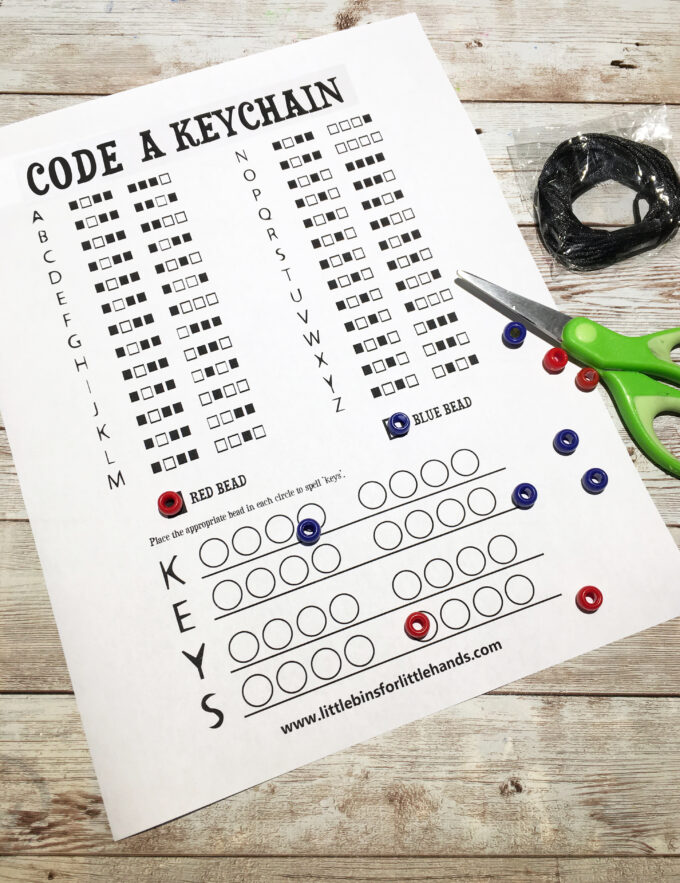
Print the Code a Keychain worksheet and directions. Look at the binary alphabet to see how each letter is represented by a pattern of eight squares.
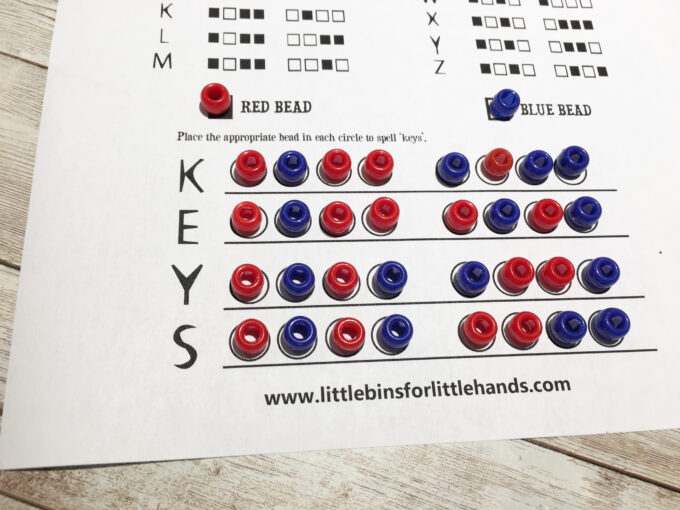
🔎 On our printable, a filled square represents a red bead (1), and an empty square represents a blue bead (0).
Step 2: Plan your bead patterns.
Find the letters K, E, Y, and S on the binary alphabet chart. Place the correct colored beads onto the circles beside each letter on the worksheet. You’ll need eight beads for each letter, for a total of 32 beads.
Step 3: Thread the beads.
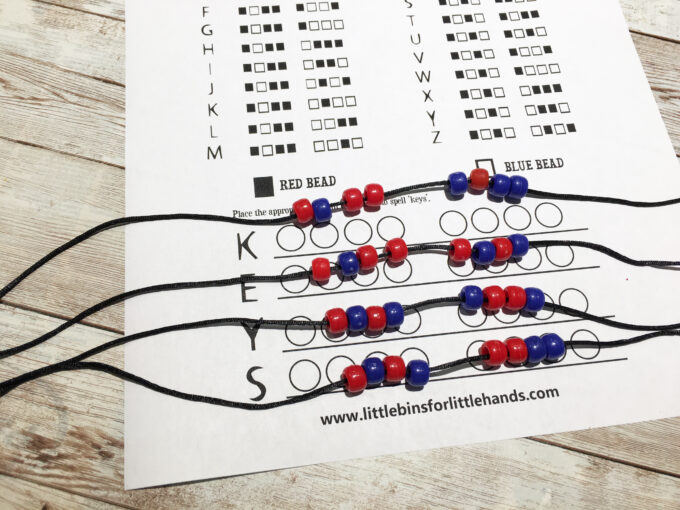
Cut four pieces of string approximately 8–10 inches long, following the printable instructions.
Thread the eight beads for each letter onto its own piece of string, keeping the beads in the same order as your coding chart.
Step 4: Attach the strands to a key ring.
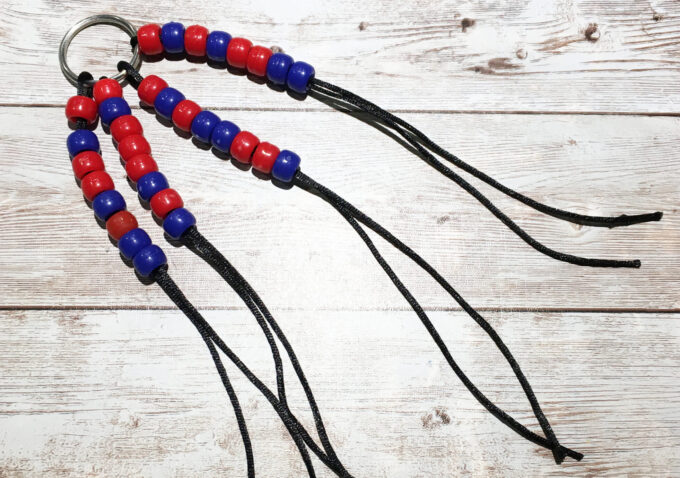
Wrap each string around the key ring and thread it back through its beads, as shown in the printable instructions. Repeat for all four letters until you have four coded strands attached to the key ring.
Step 5: Tie the ends.
Gather the loose string ends together and tie them into one large, secure knot. Have an adult check the knot before using the keychain. Trim excess cord if needed.
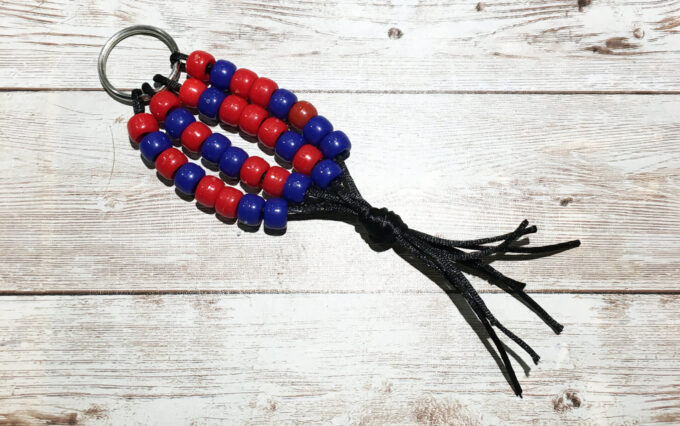
💡 You’ve made a binary code keychain! Each beaded strand represents one letter of the word KEYS.
How Does the Binary Code Keychain Work?
Binary code represents information using only two digits: 0 and 1.
Each digit is called a bit, and different bit combinations can represent letters, numbers, and other information. For this activity, we use an eight-bit code for each letter.
- Red beads = 1
- Blue beads = 0
- Eight beads = one letter
When kids look up the letters K, E, Y, and S on the binary alphabet chart, they can translate each binary pattern into a sequence of colored beads.
Even though the keychain looks like a colorful craft, each strand contains coded information!
💡 Guiding question: If you change the order of the beads, will the code still represent the same letter?
👉 Explore more in our Binary Code for Kids guide.
Who Was Margaret Hamilton?
Margaret Hamilton (1936–2026) was an American computer scientist and pioneer of software engineering.
She led the team that developed the onboard flight software for NASA’s Apollo missions, including Apollo 11, which landed the first astronauts on the Moon in 1969.
Hamilton and her team developed software that helped the spacecraft’s computer prioritize essential tasks. Their work demonstrated just how important careful coding and reliable computer systems are.
In 2016, Hamilton received the Presidential Medal of Freedom for her groundbreaking contributions to computing. She passed away on September 30, 2026, at age 90, leaving an extraordinary legacy in computer science.
While this beaded keychain is a simple introduction to binary code, it gives kids a hands-on way to explore the kinds of patterns and instructions that are fundamental to computing.
💡 Guiding question: Why was checking computer code for errors especially important during a mission to the Moon?
Extend the Binary Coding Activity
Once you’ve finished your keychain, try these simple coding challenges.
Make another four-letter word. Use the binary alphabet chart to find the patterns for words like STEM, MOON, or CODE. You can use the KEY S planning template as a model for making your own four-letter design.
Create a mystery keychain. Choose a short word, thread the correct binary patterns onto strings, and challenge a friend to decode your message using the alphabet chart.
Compare the patterns. Look at the binary codes for different letters. Which patterns are similar? What changes when you switch a 0 to a 1?
Write your name in binary code. Before trying a longer beading project, practice encoding your name with our free [Write Your Name in Binary Code worksheets](INSERT CODE YOUR NAME POST URL).
More Screen-Free Coding Activities
Coding doesn’t have to involve a computer! These simple STEM activities help kids explore patterns, algorithms, sequencing, and problem-solving.
- Binary Code for Kids — Explore how computers represent letters using 1s and 0s.
- Algorithm Coding Game — Practice following instructions and creating sequences.
- Morse Code for Kids — Discover how dots and dashes can communicate messages.
- Secret Decoder Ring — Create and solve coded messages.
- LEGO Coding — Explore coding concepts using LEGO bricks.
- Valentine Coding Hearts — Try another colorful coding challenge.
👉Find more ideas in our Screen-Free Coding Activities for Kids collection.
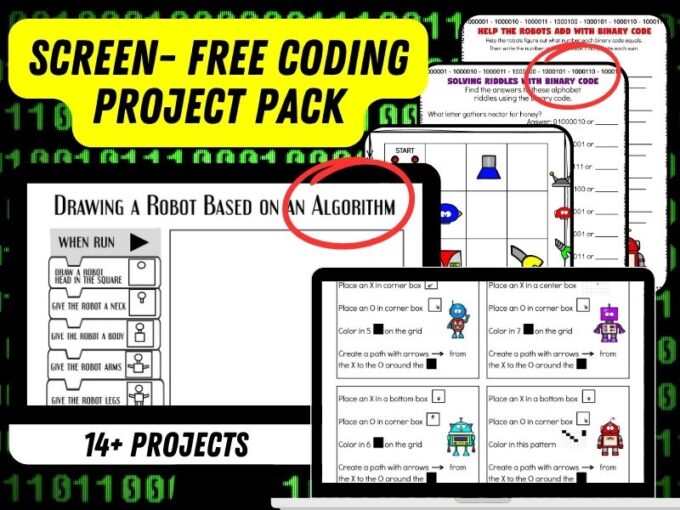
Printable Screen-Free Coding STEM Pack
Want more hands-on ways to explore coding without computers or tablets?
Our Screen-Free Coding STEM Activity Pack includes 15+ printable activities covering binary code, algorithms, coding games, puzzles, and more.
Kids can explore how coding works, solve challenges, and practice computational thinking using everyday supplies.
It’s an easy addition to your classroom STEM centers, technology lessons, or homeschool activities.
👉 EXPLORE THE PRINTABLE CODING STEM PACK
More to Explore
Screen-Free Coding Activities | Binary Code for Kids | Famous Scientists and Engineers | Easy STEM Activities