
Write Your Name in Binary Code (Free Worksheet)
Can you write your name using only 1s and 0s? This easy binary code worksheet turns your name into a colorful coding activity! Kids can explore how computers represent letters using simple patterns, two colors, and a free printable.
Inspired by pioneering computer scientist Margaret Hamilton, this screen-free STEM activity is a fun introduction to binary code for elementary students. No computer or coding experience needed!
Field: Computer Science / STEM
Grades: 2–5 (younger students with help)
Concepts: Binary code, patterns, encoding and decoding, computer science
Get Your Free Binary Code Worksheet
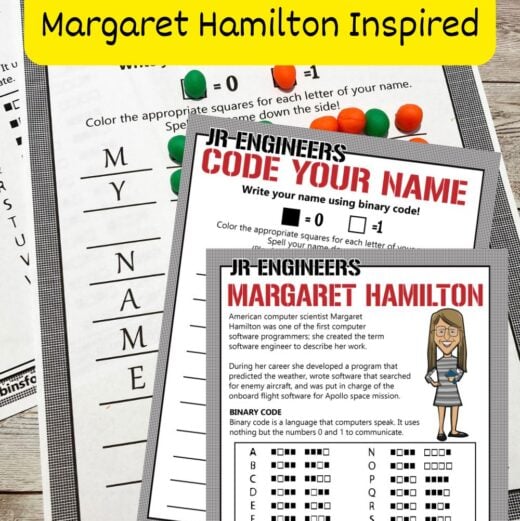
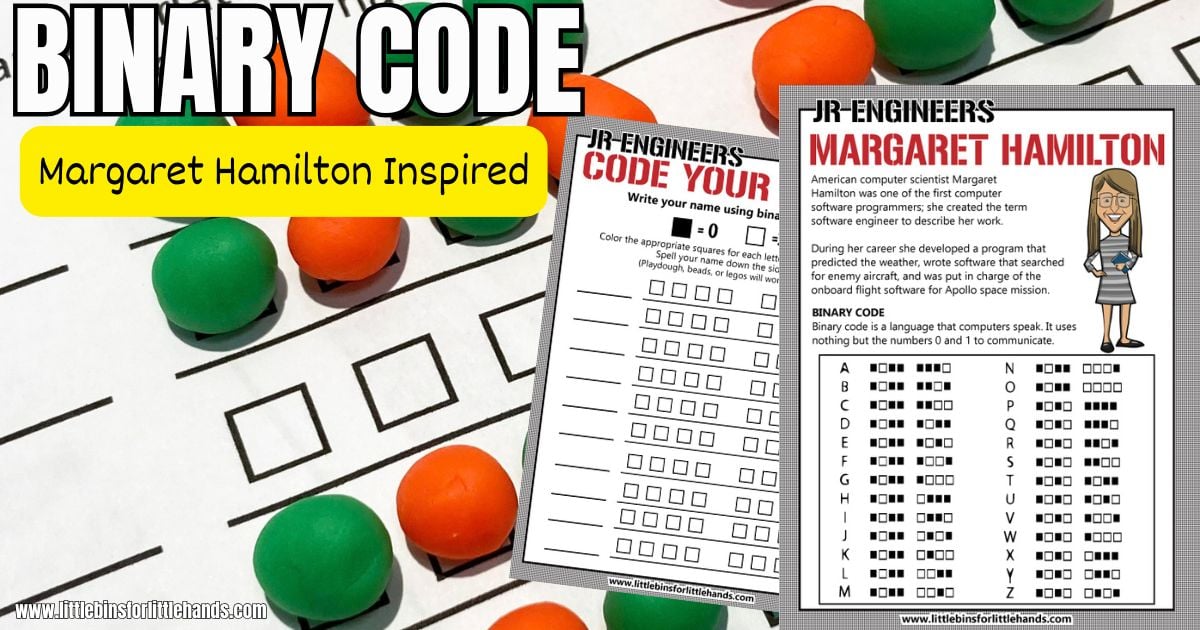
Download our free Code Your Name worksheets, which include a printable coding mat and a binary alphabet chart featuring computer scientist Margaret Hamilton.
Kids will use the chart to find the binary pattern for each letter in their name, then recreate the pattern using colors or small objects.
👉 GET YOUR FREE BINARY CODE WORKSHEETS
How to Write Your Name in Binary Code
You only need a few basic supplies for this screen-free coding activity. Start with a first name or another short word.
Supplies
- Free printable Code Your Name worksheets
- Crayons or markers in two colors
- Optional: Play dough, pom-poms, or LEGO bricks
Instructions
Step 1: Choose your colors.
Print the worksheets and choose one color for 0 and another for 1. The binary alphabet chart uses empty and filled squares to represent the two digits.

Step 2: Write your name.
Write your name down the left side of the coding mat, putting one letter on each line. If you have a longer name, you can continue on another sheet.

Step 3: Find each letter’s binary code.
Look at the binary alphabet chart on the Margaret Hamilton printable. Find the first letter of your name and copy its pattern of eight squares onto the matching row of your coding mat.
Continue until you’ve coded every letter in your name.

Step 4: Check your code.
🔎 Compare each row with the binary alphabet chart. Do all eight squares match? You’ve written your name in binary code!
Try It With Play Dough
Instead of coloring the squares, roll small balls of play dough in two different colors. Assign one color to 0 and the other to 1. Place the balls over the squares to build each letter’s binary pattern.
💡 You can also use pom-poms or LEGO bricks. For repeated classroom use, laminate the coding mat and use dry-erase markers.
Try our easy homemade play dough recipe to make your own.

What Is Binary Code?
Binary code represents information using just two digits: 0 and 1. Computers use binary digits, called bits, to represent information such as letters, numbers, and instructions.
In this activity, each letter is represented by an eight-bit pattern. Different combinations of 0s and 1s represent different letters.
For example, using the eight-bit character patterns shown on the printable:
- A = 01000001
- B = 01000010
- C = 01000011
Notice how the patterns change for each letter!
Guiding question: How can just two digits represent so many different letters?
👉 Learn more about binary code for kids, including how binary patterns work.
Extend the Coding Fun
After kids practice writing their names in binary code, try one of these simple challenges.
- Create a secret message. Choose a short word and write it using binary code. Leave off the letters and challenge a friend to figure out your message using the alphabet chart.
- Decode a mystery name. Fill in the squares on your coding mat but leave the letter spaces blank. Exchange worksheets with a friend and see if you can decode each other’s names.
- Compare letter patterns. Look closely at the binary patterns for A, B, and C. What’s the same? What’s different?
- Code a science word. Try writing MOON, SPACE, ROBOT, or another favorite science word in binary.
Who Was Margaret Hamilton?
Margaret Hamilton (1936–2026) was an American computer scientist and a pioneer of software engineering.
She led the team at MIT that developed the onboard flight software for NASA’s Apollo missions, including Apollo 11, which landed the first astronauts on the Moon in 1969.
During the Apollo 11 landing, the computer experienced unexpected overload alarms. Hamilton’s team designed the software to prioritize important tasks so the computer could keep operating.
Her work showed how important reliable computer software is, especially when people depend on it for their safety.
Hamilton also helped popularize the term software engineering at a time when programming was not always recognized as an engineering discipline. In 2016, she received the Presidential Medal of Freedom for her contributions.
Margaret Hamilton passed away on September 30, 2026, at age 90. Her remarkable contributions helped shape modern computing and continue to inspire future generations of scientists and engineers.
The Code Your Name printable is inspired by her work and introduces kids to a fundamental idea of computing: representing information with code.
Guiding question: Why would finding and fixing mistakes in computer code be especially important during a space mission?
👉 Explore more inspiring people in our Famous Scientists and Engineers for Kids collection.
More Screen-Free Coding Activities
Want to explore more computer science concepts without a screen? These easy coding activities introduce kids to algorithms, patterns, sequencing, and secret messages.
- Binary Code Worksheets — Practice creating messages with the binary alphabet.
- Algorithm Coding Game — Explore step-by-step directions with a printable game.
- Morse Code for Kids — Use dots and dashes to send messages.
- Secret Decoder Ring — Make a decoder and write secret messages.
- LEGO Coding — Explore simple coding concepts using LEGO bricks.
- Valentine Coding Hearts — Try another colorful coding activity.
👉 Find even more ideas in our Screen-Free Coding Activities for Kids collection.
Printable Screen-Free Coding Activities Pack
Want more coding activities without computers or tablets?
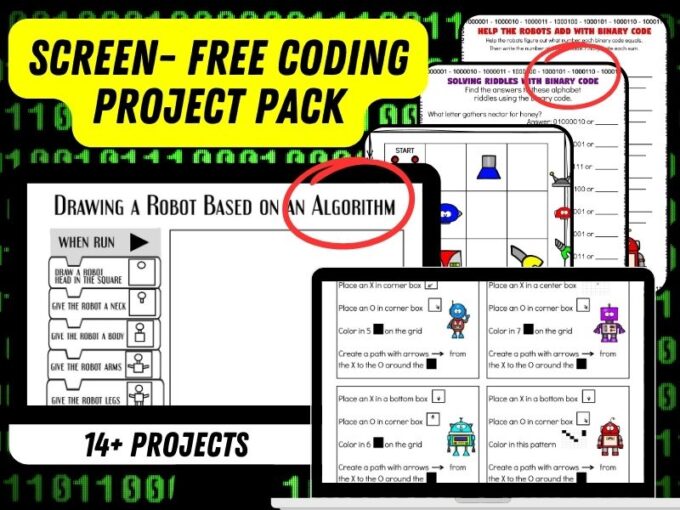
Our Screen-Free Coding STEM Activity Pack makes it easy to introduce computer science concepts with 15+ printable activities.
Kids can:
- Explore algorithms with hands-on coding games.
- Practice binary code with printable challenges.
- Create and solve secret messages.
- Try code-breaking puzzles and riddles.
- Complete a coding adventure.
- Play Robot Bingo.
These ready-to-use printables are a simple addition to your STEM lessons, classroom centers, or homeschool activities.
👉 EXPLORE THE SCREEN-FREE CODING PACK
More to Explore
Screen-Free Coding Activities | Famous Scientists and Engineers | Easy STEM Activities | Binary Code for Kids | Algorithms for Kids